

Foreigner privacy protection is the first daily-life safety topic for any foreigner working or studying in Korea. Your passport number and ARC (Alien Registration Number) are not regular personal data — Korean law treats them as unique identifying information, and a single leak can chain into telecom and financial identity theft. This is a five-minute foreigner privacy protection checklist focused on authentication and document submission. (EasyLaw 찾기쉬운 생활법령정보)
Disclaimer: This article is general information, not legal advice. If a real dispute or criminal case develops, contact a Korean attorney or your consulate. For multilingual help line, call 1345 Korea Immigration Contact Center or Danuri 1577-1366; for personal data complaints, dial KISA 118. (Personal Information Protection Commission)
Foreigner privacy protection: three core principles
Korea’s Personal Information Protection Act (PIPA) treats foreigners as data subjects, the same as Korean citizens. You are not stuck with “foreigners can’t refuse” — you can disclose only the minimum required and push back on excessive requests. (Korean Ministry of Government Legislation)
- Purpose & minimum collection — every collector must declare the purpose and request only what is needed for that purpose. (Korean Statutes)
- Unique identifiers get extra protection — passport, ARC, driver’s licence, and resident number need a separate consent and security measures. You can ask why they need it and how it will be stored or destroyed.
- OTP codes are passwords — a 6-digit SMS or OTP code can unlock a payment or login the moment it leaves your phone. KISA (boho.or.kr) advisories flag this repeatedly. (KISA Boho)
Korean authentication 6 types — foreigner privacy protection field guide

Here is the table foreigners actually face. Most flows depend on having an ARC-based mobile line in your own name.
| Authentication | Foreigner-friendly? | Main risk | Safe check |
|---|---|---|---|
| Mobile SMS verification (KT/SKT/LGU+) | Yes, with ARC-registered line | Fake verification page | Open the official app or type the URL yourself |
| PASS app (telecom 3 carriers) | Yes, on a line in your name | Smishing-disguised PASS UI | Launch PASS from the home screen icon directly |
| Joint Certificate / Financial Certificate (former Public Cert.) | After bank account opening | USB storage and duplicates | Use cloud-based Financial Certificate |
| KakaoTalk / Naver Certificate | Yes, with a line in your name | Blocked if the line is in another person’s name | Use only your own line |
| i-PIN (alternative) | Effectively unavailable for foreigners | Alternative: ARC + mobile verification | If a site demands i-PIN, request ARC verification |
| 1-won deposit account verification | Yes | Easily mixed with phishing flows | Never share password or OTP |
Smishing and remote-control scams — 99% scam signs
Fake delivery texts, fake refund notices, and requests to install remote-control apps (TeamViewer, AnyDesk) are the playbook for foreigner-targeting fraud. KISA states clearly that government agencies and banks never ask you to install remote apps over phone or text, and OTP codes can be used directly for payment, so do not share them. Related: voice phishing and smishing prevention. (KISA Boho)
- “Just tell me the 6-digit OTP” → refuse, end call
- “The agency will compensate you, send your ID and bank account” → impersonation (Korea.kr Press Release)
- “Foreigners’ paperwork is complex, let me handle it for you” → name-theft risk
- Calls only from a personal mobile (not the official desk number) → instant red flag
Foreigner privacy protection: 8 high-risk documents and masking rules
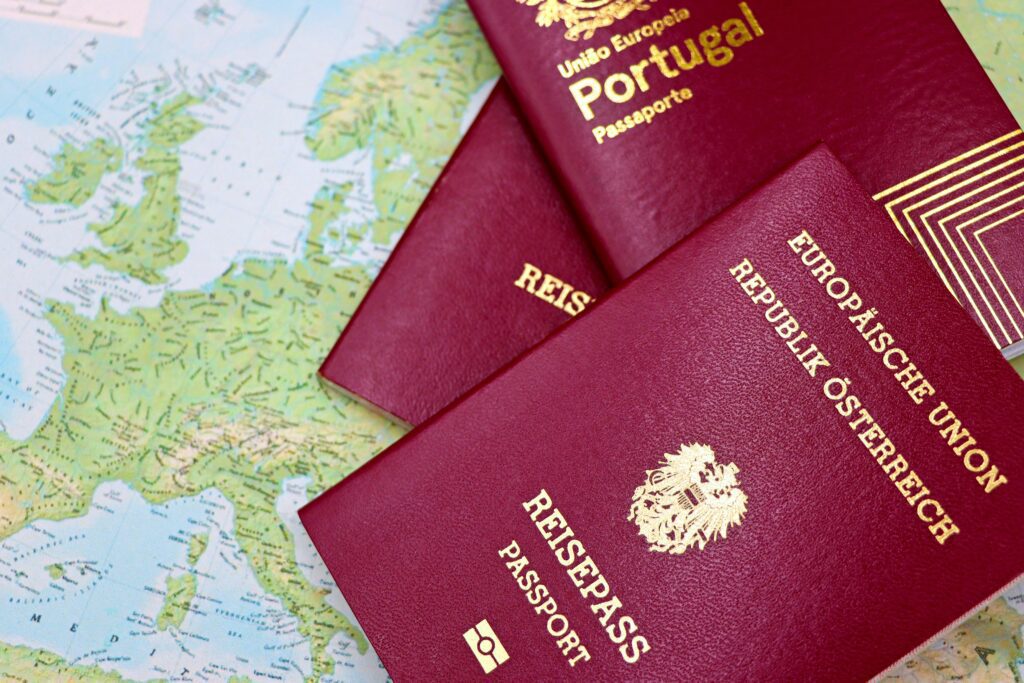
Most documents foreigners are asked to submit are reusable — one copy can power telecom, banking, and rental identity theft. Decide what to mask before you send.
| Document | Reuse risk | Items to mask |
|---|---|---|
| Passport copy (photo page) | Very high | Last digits of passport number, partial issue date, signature area |
| Alien Registration Card (ARC) copy | Very high | Last digits of registration number, issue date |
| Visa sticker / issuance confirmation | High | Visa serial digits, passport serial |
| Lease contract | High | Deposit amount, account number, signature |
| Employment certificate / payslip | High | Resident or ARC numbers, account, salary detail |
| Bank book copy (account number) | Medium | Balance, prior transactions |
| Flight ticket / booking | Medium | Passport number, date of birth |
| Family relations / marriage certificate | High (sensitive data) | Resident numbers of family members |
Because passport and ARC numbers are unique identifiers, you have a right to ask whether the receiving party processes them under a specific legal basis. A single line — “please share the legal basis” — often changes the conversation. (EasyLaw)
Foreigner privacy protection: 60-second copy submission checklist

Spend 60 seconds before you click send. The six steps below cut more than 90% of foreigner privacy protection incidents in real life.
- Verify the requester — ask the official entity name, the staff name and department, the desk phone (not a personal mobile), and the legal basis in four short questions.
- Verify the channel — never enter data on a page reached from a text message. Open the official site or app yourself and upload there.
- Watermark — write four lines on the copy, by hand or in an editor:
To: ○○○,Purpose: verification of ○○,Date: 2026-05-10,Use only for stated purpose, no reuse. - Password-protected PDF — JPG and PNG forward easily on KakaoTalk. A password-protected PDF is safer; send the password through a different channel (text or call), never the same email.
- Minimum disclosure — ask “can I mask this field?” and “is on-site verification of the original acceptable instead?” at least once.
- Request destruction — add a single line to the email: “please destroy after the task is complete and confirm by reply.”
Three absolute prohibitions
- Leaving your original passport or ID with anyone outside an embassy or immigration office
- Sending unprotected photos via SNS or KakaoTalk — message-retention policies make screenshots dangerous
- Handing over multiple document copies at one place during a real-estate signing session
Foreigner privacy protection: 2 free name-theft prevention services
- Msafer name-theft prevention — alerts you whenever a mobile line is opened or transferred under your name; you can pre-block new applications. Run by KAIT (Korea Association for ICT Promotion). (msafer.or.kr)
- Number spoofing block service — blocks attackers from sending smishing texts that appear to come from your phone number. Free from KISA. (KISA Anti-Forgery)
Foreigner privacy protection: PIPA vs GDPR one-line comparison
| Item | Korea PIPA | EU GDPR (reference) |
|---|---|---|
| Scope | Anyone in Korea, foreigners included | EU residents |
| Unique identifiers | Passport, ARC, driver’s licence, resident number — extra protection | Special category data |
| Use without consent | Prohibited in principle, reportable to authorities | Prohibited unless a clear legal basis applies |
| Reporting channel | KISA 118 / PIPC 1833-6972 | National DPAs (CNIL, ICO, etc.) |
| Penalty cap | Up to 3% of revenue | Up to 4% of global revenue |
Foreigner privacy protection: 9 scam signals and immediate response

- An institution or bank pushing a link via KakaoTalk or SMS
- “Verify right now” time pressure
- “Just read me the 6-digit OTP”
- “Install this remote-control app”
- “Foreigner paperwork is complicated, let me handle it for you”
- “Send your passport, ARC, and bank account together” (especially under refund or compensation framing)
- Calls coming only from a personal mobile rather than a public desk number
- Payment or contracts pushed through external links
- Anger or evasion when asked about the privacy policy or retention period
- Suspected financial damage → call your bank and card issuer immediately, freeze the account
- Suspected telecom name-theft → call your carrier and check Msafer subscription history
- Privacy complaint → KISA 118 (some multilingual support) or PIPC at privacy.go.kr
- Lost or stolen documents → follow the 1-hour golden time checklist for lost or stolen documents
- Need urgent Korean-language help → use the Korean emergency phrases for foreigners
Foreigner privacy protection: copy-paste refusal and request lines
- “Please tell me the purpose and retention period before I submit any documents.”
- “I will provide the minimum required information only. Can I mask unnecessary parts?”
- “I do not verify identity through links. Please share the official website or app.”
- “Government agencies and banks do not ask for remote-control app installation. I will not install it.”
- Korean: “서류 제출 목적과 보관 기간을 먼저 알려주세요.”
- Korean: “필수 항목만 제출하고 싶습니다. 불필요한 정보는 가리고 제출해도 될까요?”
Foreigner privacy protection FAQ
- Are passport and ARC numbers treated as sensitive data in Korea?
- Yes. Korean privacy regulations classify both as unique identifying information, requiring separate consent and security measures.
- Can I share an OTP code if someone says it is for identity verification?
- No. KISA advisories warn that the same OTP can authorise a payment, so never share it with anyone.
- An agency is asking me to install a remote-control app — is that real?
- No. KISA states that government agencies and financial institutions never request remote-app installation by phone or text. End the call immediately.
- Someone offers “privacy breach compensation” and asks for my ID and account.
- The Personal Information Protection Commission has officially announced that it never requests ID copies or account numbers for compensation.
- Can foreigners issue an i-PIN?
- In practice, no. Use ARC plus mobile verification, or KakaoTalk, Naver, or PASS certificates instead.
- I want related etiquette and language guides.
- Related posts: Korean restaurant etiquette guide, online defamation guide for foreigners.
Foreigner privacy protection: one-line wrap-up
Foreigner privacy protection comes down to three habits. First, never share OTP codes or accept remote-control app requests. Second, send copies with watermark, password-protected PDF, and channel separation. Third, if something feels off, run a 30-minute check via KISA 118 and Msafer. This article is general information; for any actual dispute, contact a Korean attorney or your consulate. Disclaimer: General information, not legal advice — call 1345 for the Korea Immigration multilingual hotline.
Image credits
- Featured image: Photo by Pexels (free to use)
- Body images: Pexels — free for commercial use
K-Name Studio: Create your perfect Korean name based on your personality and style.
What’s My K-Beauty Personal Color?
WeBring Service : Provides personalized services to foreigners living in Korea
Exclusive offer: Introducing foreign car rental in Korea, WeBring-SoCar
- Voice Phishing Smishing Prevention Korea: 2026 Patterns + Response Steps
- Fake Visa Website Detection: 10-Second URL Checklist (Foreigners Must Read)
- Korea Emergency Help Phrases — Foreigner Guide to Police, Hospital, Lost & Stolen (2026)
- Korea Delivery Guide: Address, Driver Notes, Parcel Locker 2026
Last updated: 22 September 2026
Rules, fees and procedures can change over time. Before an important decision, check the latest guidance from the relevant authority.
WeBring operates its own services for foreign residents in Korea. The following is a promotion for those services.
Living in Korea? You don't have to figure it out alone
Insurance, visas, jobs and hospital interpretation — WeBring supports every step of settling in Korea, in your language.