

Opening a TossBank Contactless Bank Account for Foreigners in Korea (2 of 2)
Is it possible for Contactless Bank Account for Foreigners in Korea? The answer is yes, with TossBank. Opening a bank account is one of the many challenges that come with starting a new life in Korea, and for expats and expatriates, the language barrier and complicated procedures can make it even more challenging. However, TossBank has stood out from the crowd by offering a non-face-to-face bank account opening service that is accessible to foreigners. This is the second in a series of articles in the Complete Guide to Living in Korea for Expats 24, and the second related article in the series, Opening a bank account: starting your financial journey in Korea.
Opening Process: TossBank Contactless Bank Account for Foreigners in Korea
With its user-friendly interface and streamlined process, TossBank makes it easy for foreign users to open a bank account. Just download the Toss app, follow the instructions and go through the signup process, and opening a bank account will be a breeze.
Download the Toss app
Download the Toss app on your smartphone. You can find it by searching for “Toss” in the Google Play Store or Apple App Store. TossBank exists as a menu within the Toss app, so if you’re looking forward to opening a bank account with TossBank, start by installing the Toss app.

Preparation for opening a TossBank bank account
To open a TossBank account, all you need is a cell phone in your name in Korea, a foreigner’s registration card (or residence permit if you’re an overseas resident), and your passport, and there’s a step where you have to take a photo of yourself for verification, so if you’re a foreigner, you can open a bank account without any difficulty.
Apply to open a bank account with TossBank
The entire bank account opening process consists of installing the TOSS app, going through the mobile phone identity verification process, agreeing to the TOSS app terms and conditions, entering various personal information, entering a passbook password, verifying your ID (alien registration card), and taking a photo to verify your identity (non-face-to-face).
After installing the app and choosing to sign up, you’ll be asked to enter basic personal information and upload a photo of your Alien Registration Card to complete the signup process. The process is painless, so just follow the instructions in the app and fill in the required information as you go.
Take a photo for contactless authentication
After you’ve finalized the basic signup process, you’ll be asked to take a working photo to verify yourself, albeit in a non-face-to-face environment. You’ll need to turn your head this way and that, rather than taking a headshot, so follow the app’s instructions for this too. Take note that taking a photo with your ears visible is a tip for better facial recognition. At the end of the process, you’ll receive a message that your photo has been verified and you’re basically done.
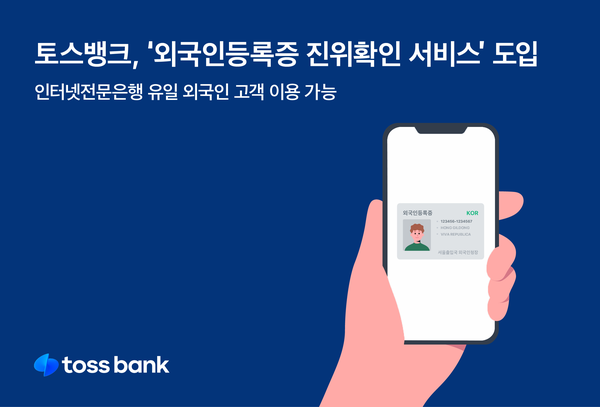
If you get an error that the name you signed up for Toss is not the same as the name you signed up with
Once the identity verification process is complete, your bank account will be activated and you’ll be able to access a variety of financial services through the TossBank app. However, sometimes, if the name you registered during the signup process is different from the name taken from the identity verification, you may be locked out with an error saying that your name is not the same as the name you registered with Toss. Don’t panic, just check your name in the settings of the Toss app to make sure it’s correct, and that it’s case-sensitive – for example, if it’s in lowercase, change it to uppercase, and you’ll be fine.
What to do after opening a TossBank bank account
- Language support: The TossBank app is available in Korea, so you may need to have a basic understanding of the language. It’s a good idea to get help from people in Korea around you or use a translation app if necessary.
- Customer support: If you run into any issues while opening your bank account, you can get help through TossBank’s customer support center. This is also contactless, so you can use it like a chat.
Opening a bank account in Korea as a foreigner can be simpler than you think, and TossBank is a great option to make the process even easier. With the right preparation and understanding, you should be able to start your financial life in Korea without any hassle.
Living in Korea? You don't have to figure it out alone
Insurance, visas, jobs and hospital interpretation — WeBring supports every step of settling in Korea, in your language.